Disclaimer: Editing the registry can be a bad thing to do. Do NOT change things while you are in there just for the heck of it! And please, don't blame me if this turns out to be a bad idea. I've done this myself for Reunion and it caused me no problems but this is one of those things that could go wrong if you start messing around. Just follow the steps carefully and the worst that should happen is you need to reinstall X3:TC. Start clicking around elsewhere and things could get messy.
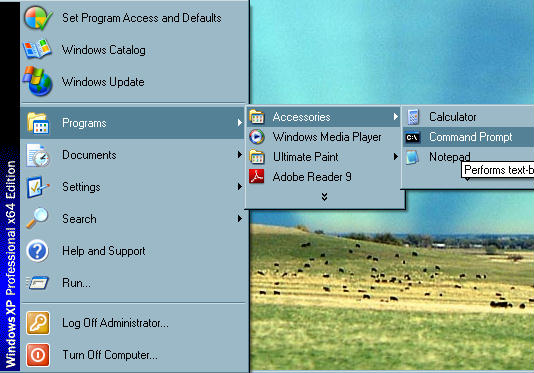
First you need to start the regedit program. Easiest wayt o do that is to get a command prompt up. In Windows Classic view to it looks like this:
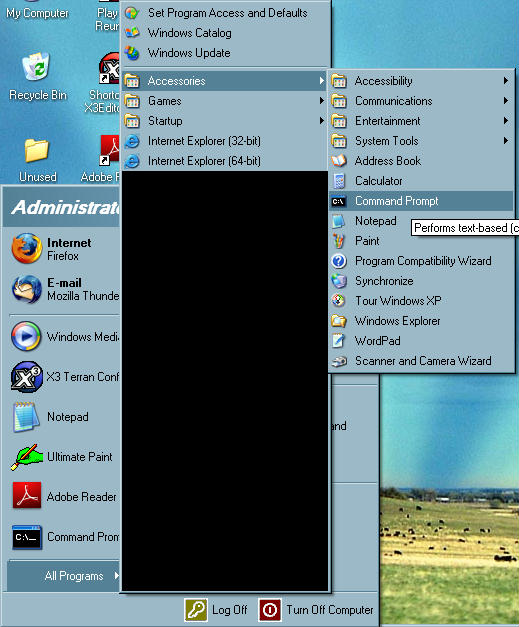
In XP view it will look more like this:
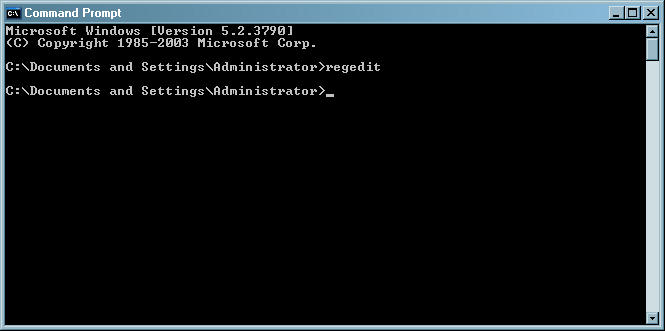
Either way you should get a command prompt screen pop up. In it type regedit an press return:
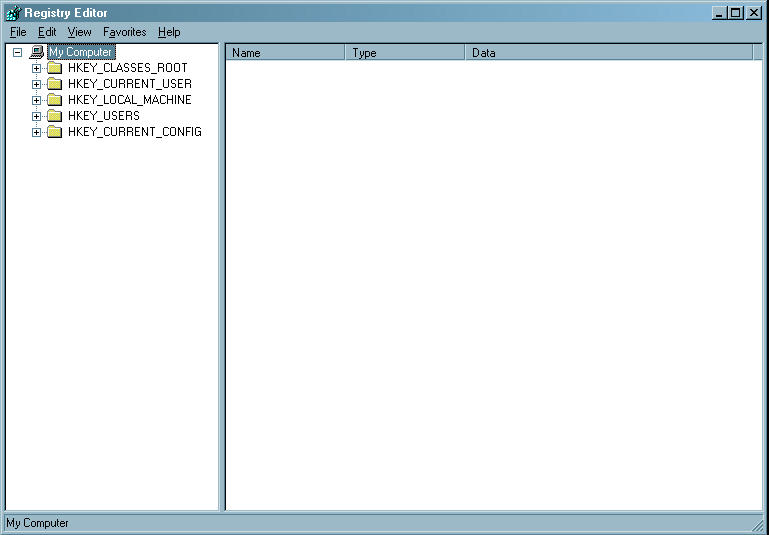
This should cause another window to pop up:
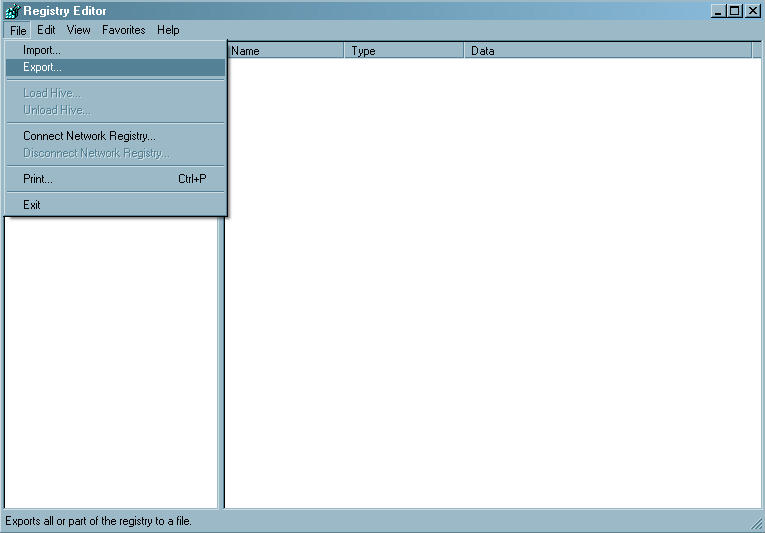
It is a sensible precaution to back-up the registry here. BEfore you do anything select the File menu and click Export:
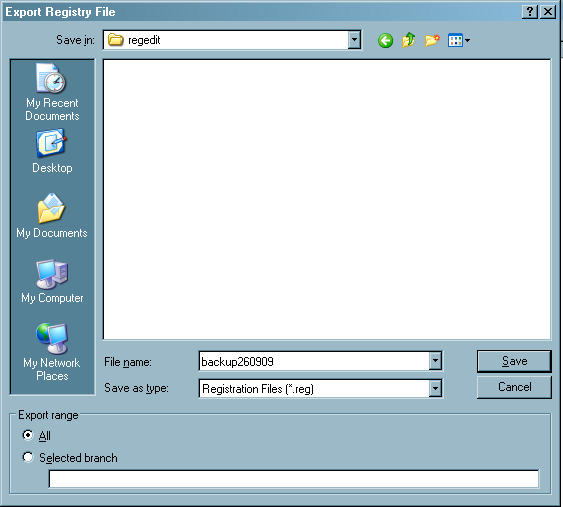
Select a file name and save the file. Make sure All is selected at the bottom of the dialog box:
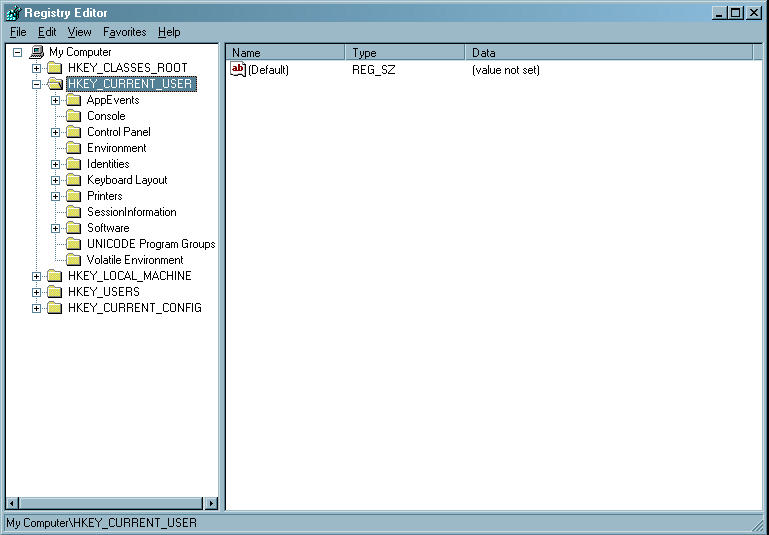
From now on be careful not to change anything you don't need to. Navigate via the folder structure as you would anything else (click the + symbols to expand). Expand HKEY_CURRENT_USER:
Then expand Software:
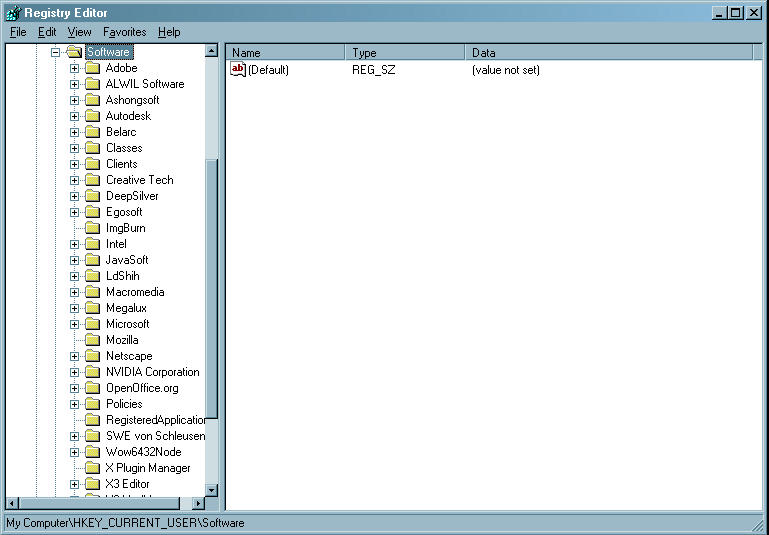
Then expand Egosoft:
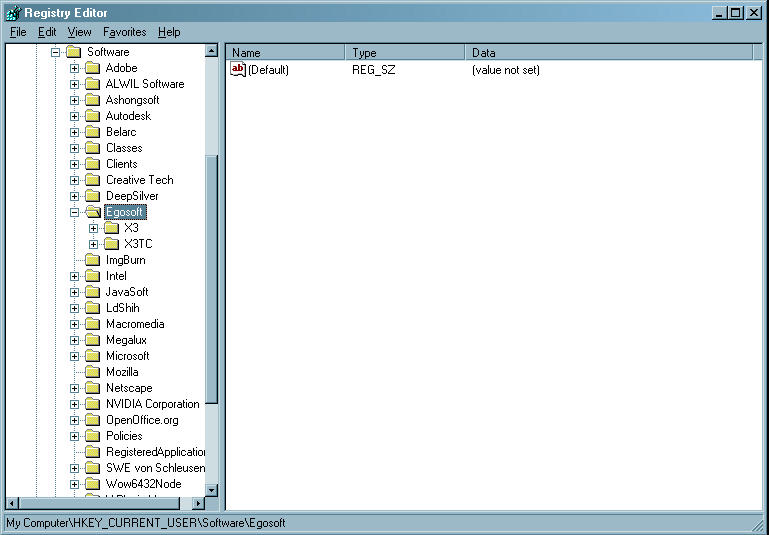
Then just highlight (click) X3:TC (don't expand it). You'll see a long list of stuff appear on the right:
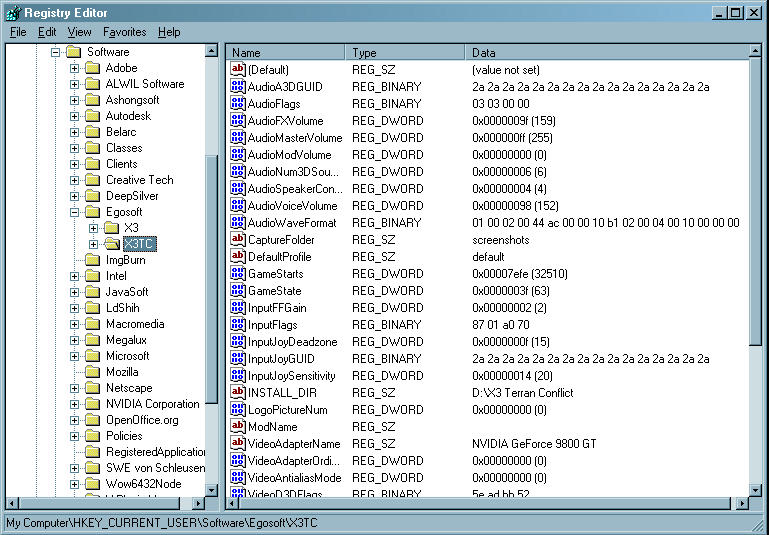
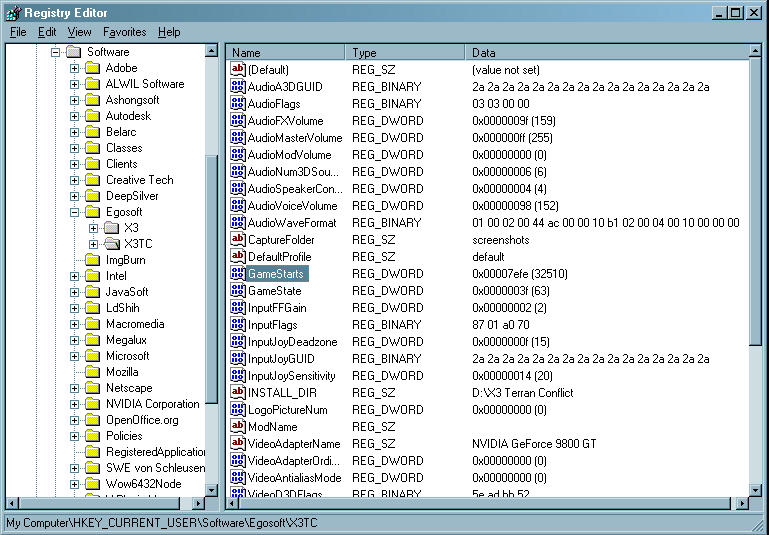
Highlight (again with just a single click) GameStarts:
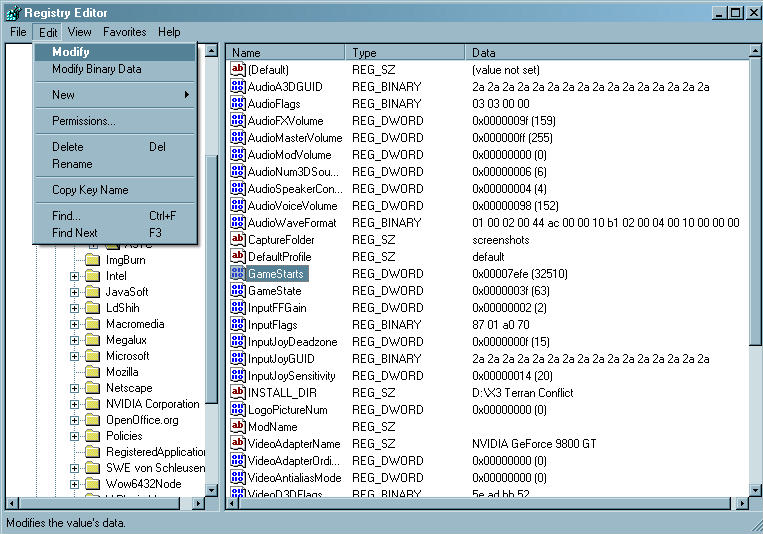
Then go to the Edit menu and select Modify:
A smaller window should open up with a value in it:
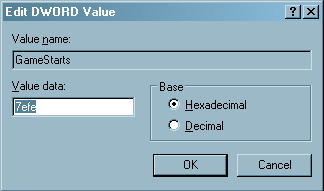
NB: the number shown above will unlock all bar the Lost Lar start - if you want to I'd suggest just copying this value into your own install. Otherwise it is time to enter the magic unlock all numbers! Change the value to ffff (four f's).
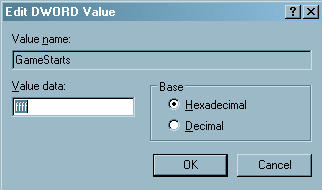
Click OK then close regedit without doing anything to any other value. Fire up TC and you shoudl find you have all the starts.
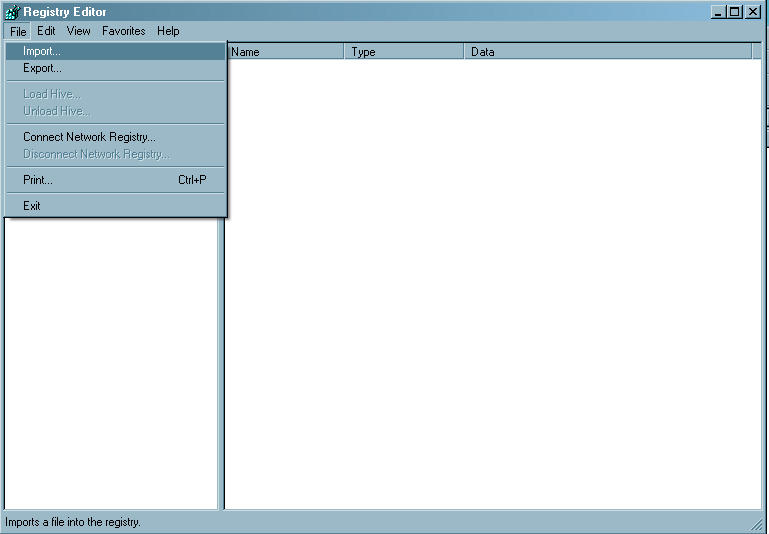
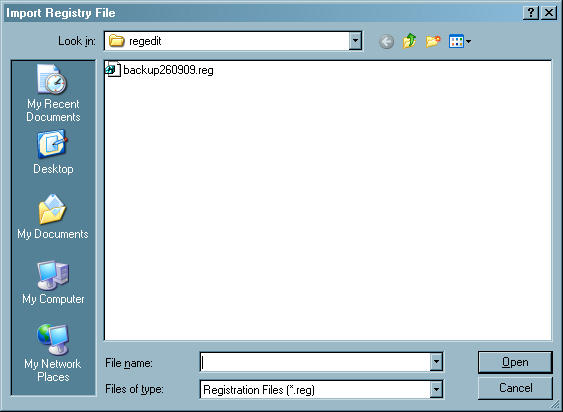
If things have gone wahoonie shaped then you can restore your registry (this is something that should only be done if things have gone badly - and right away. Do not install new stuff, fiddle around and then decide six months later to use this registry backup). Reopen regedit as detailed above and then go to the File menu and click Import
Select the file you saved earlier and then click OK:
Hopefully things should be back to normal. Hopefully.
Hope that works for you and please remember - I am not a technical expert! Things go wrong then I am very sorry but I am unlikely to be able to help beyond the advice given on backing up.